

Access Your Membership Area
How to Create Your Membership
STEP 1
Join SC Gifted
At the top right of any page on the site you will see a yellow button titled “JOIN SC GIFTED.” Click the button.

STEP 2
Choose a Membership Option
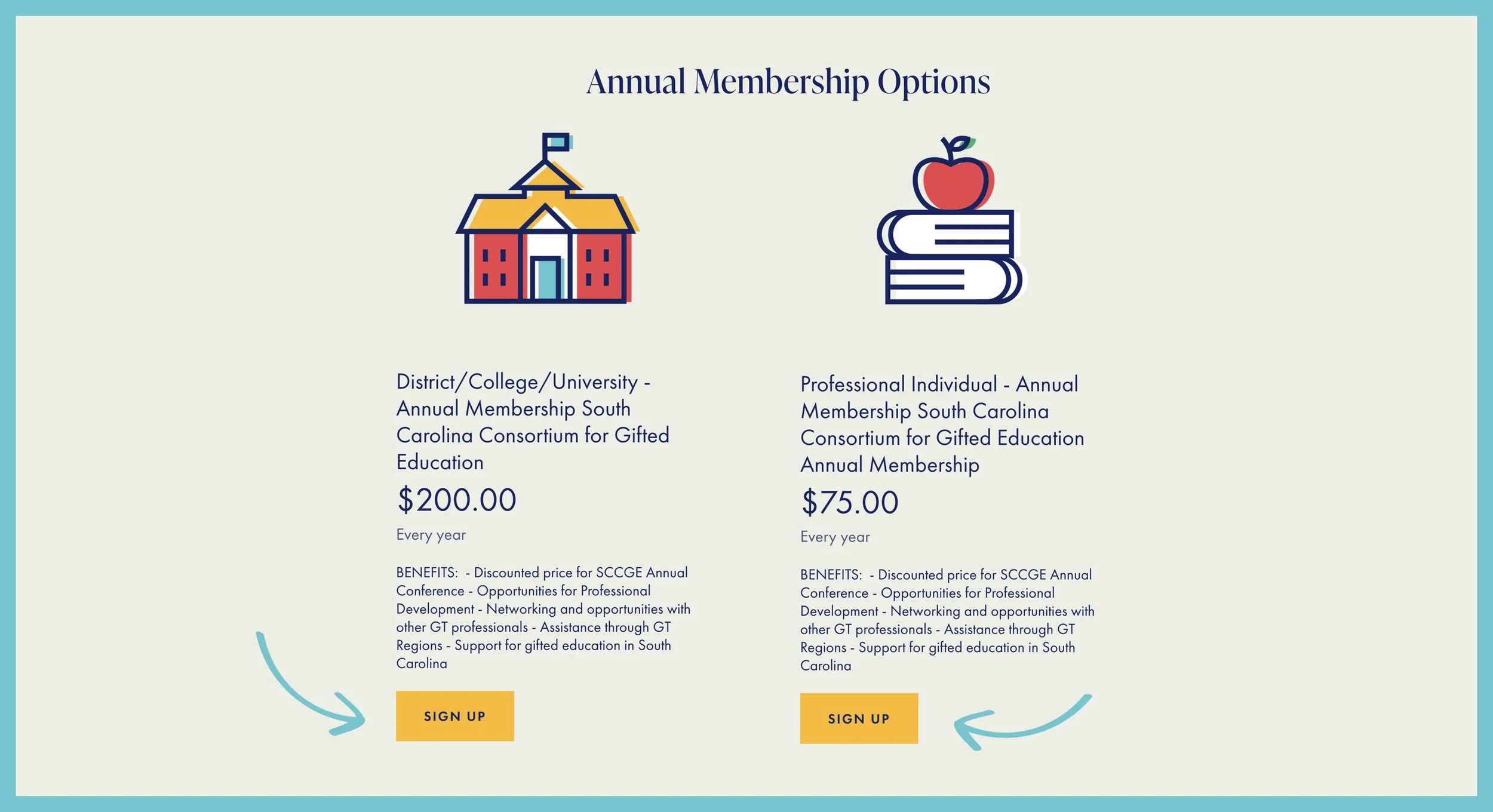
On the SC Gifted Membership page, scroll until you see the two membership offerings under Annual Membership Options.
Under each option is a yellow button titled “SIGN UP.” Click this button for the membership of your choice.
STEP 3
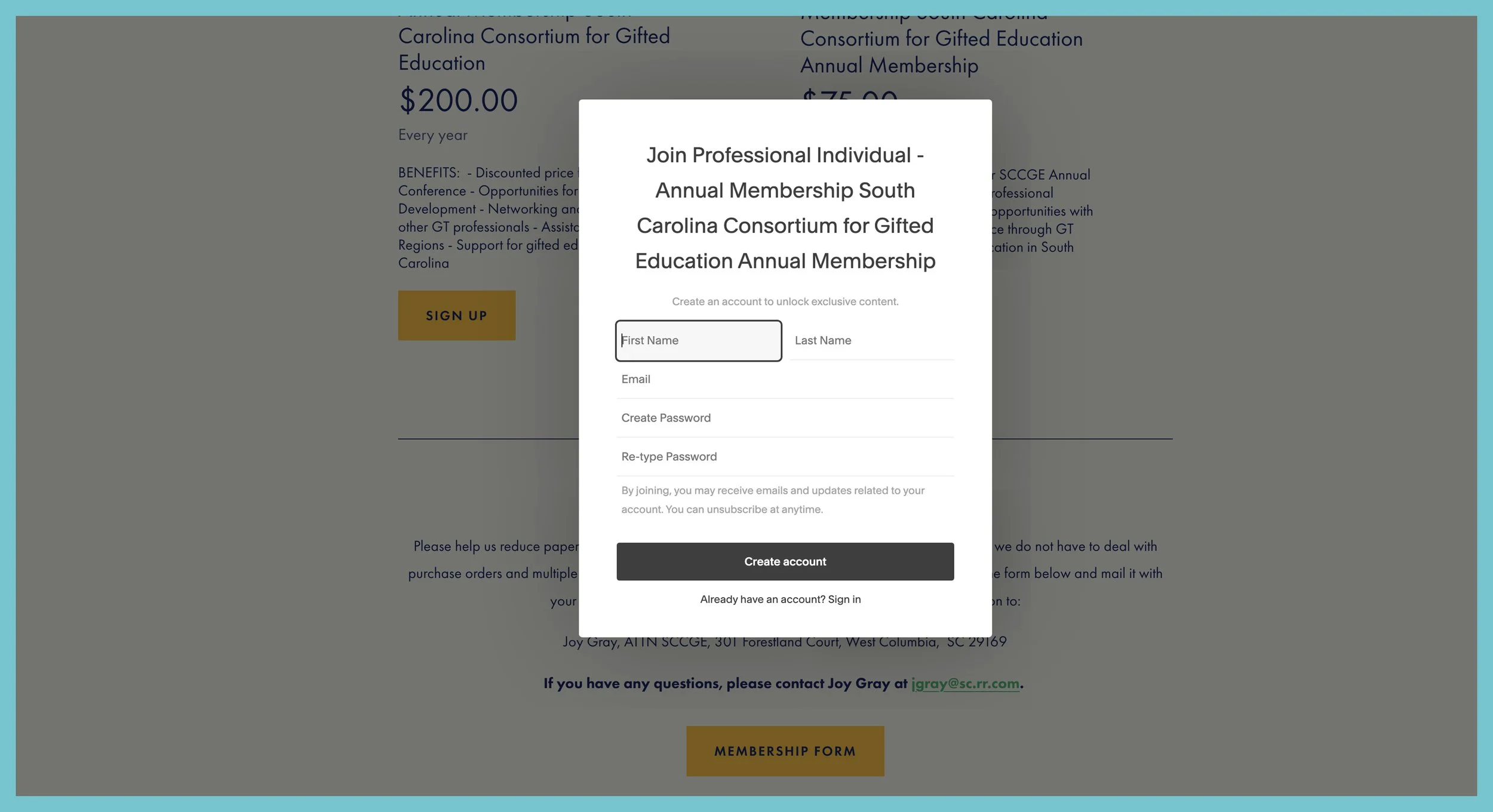
Create Account
Fill in the white box with your information then click the dark gray button titled “CREATE ACCOUNT.”
STEP 4
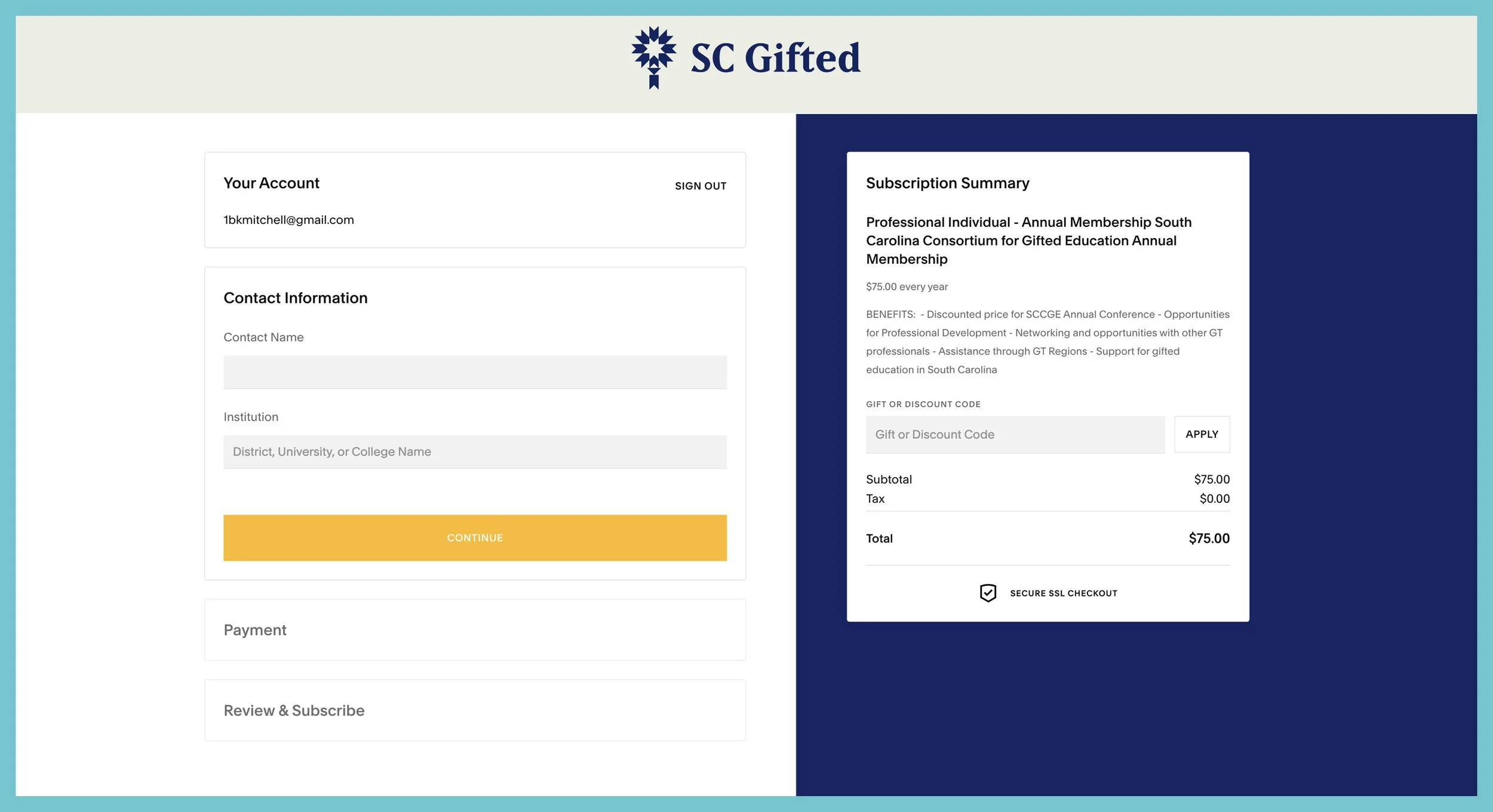
Fill In Information
Fill in your Name and Institution information then click the yellow button titled “CONTINUE.”
STEP 5
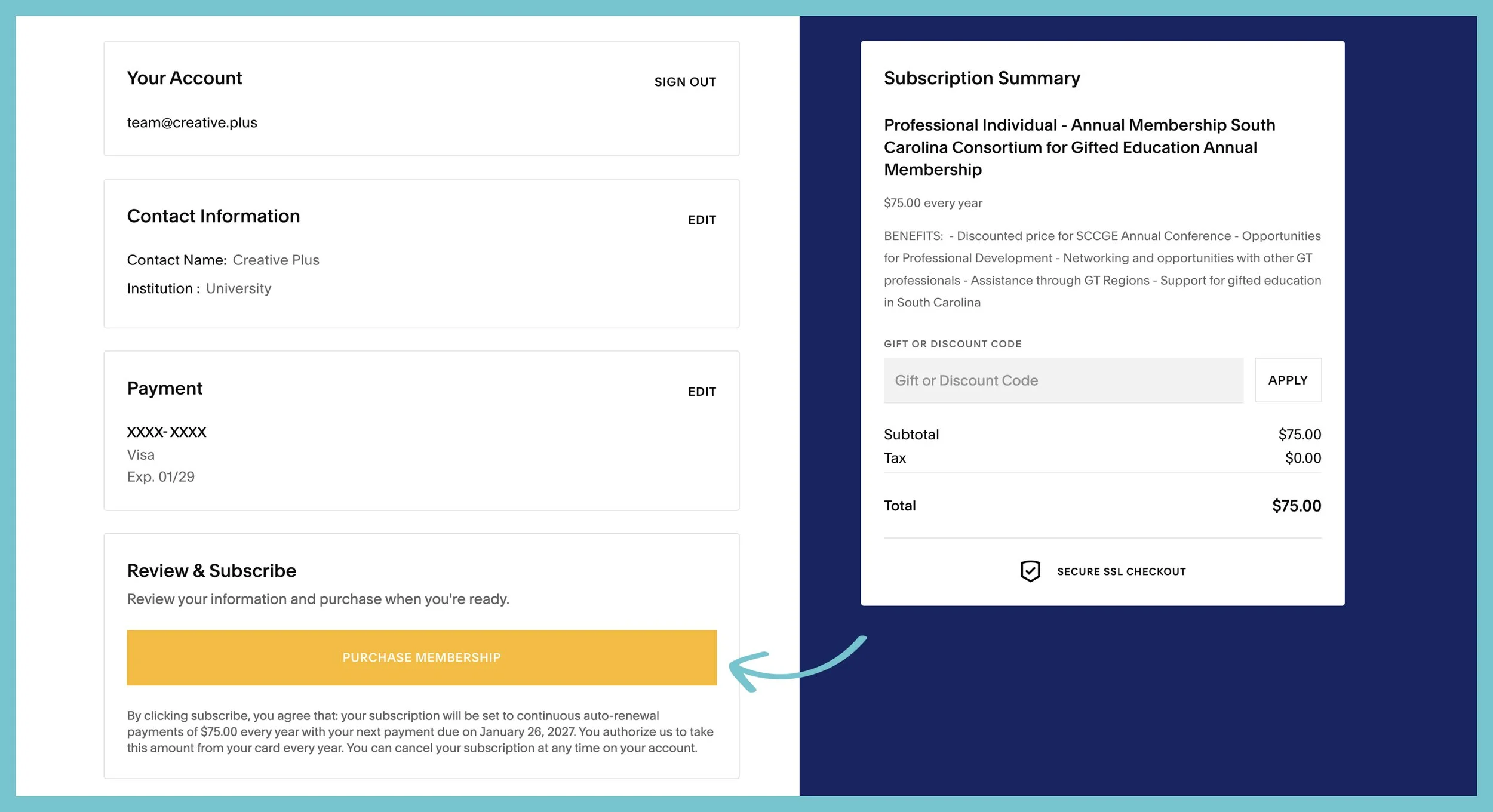
Payment Information
Fill in your payment information then click the yellow button titled “PURCHASE MEMBERSHIP.”
STEP 6
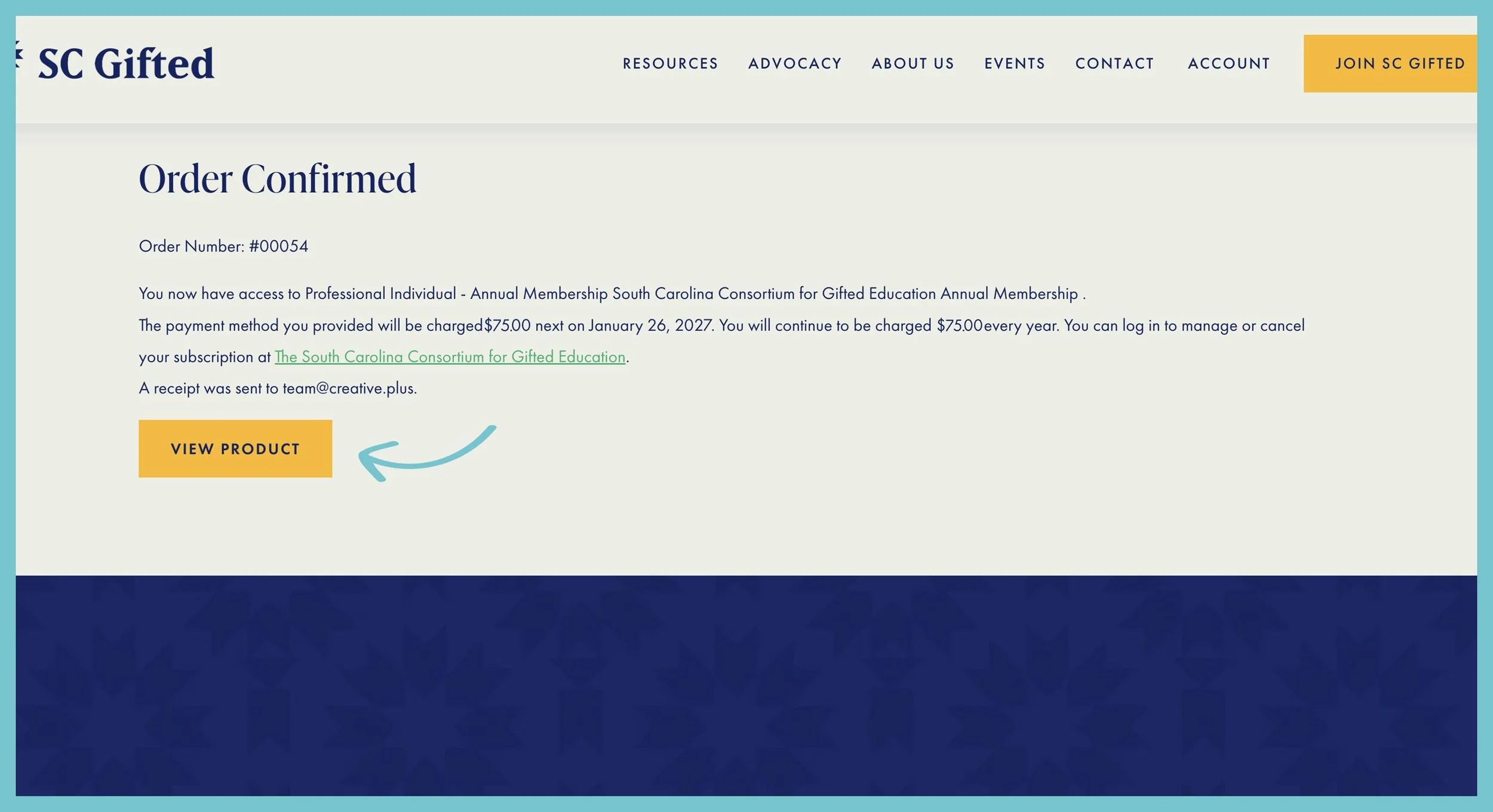
View Product
An Order Confirmed page will pop up. Click the yellow button titled “VIEW PRODUCT” to see the members-only webpage.
STEP 7
View Membership Area
Once on the membership area, scroll down the page to view video seminars, online resources and more.

STEP 8
Check Your Email
Open the email inbox you used when creating your membership, open the email with the subject line of “Verify Your Account…”
Click the dark gray button titled “VERIFY YOUR ACCOUNT.”
To quickly access your Membership Area in the future, save the email with the subject line of “Welcome to…” When you open that email, there is a button you can use to directly log in.
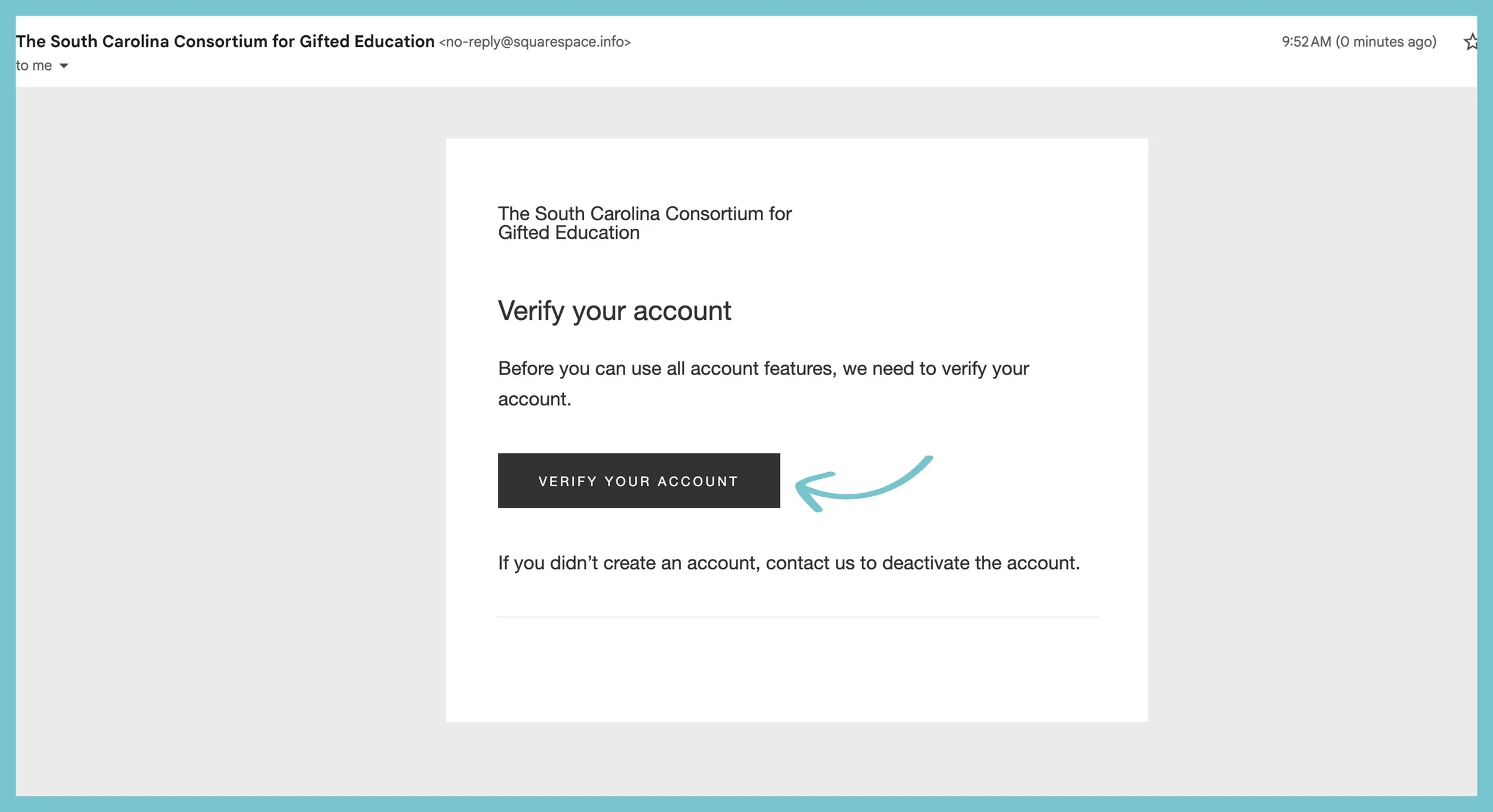
Verify Your Account via email.
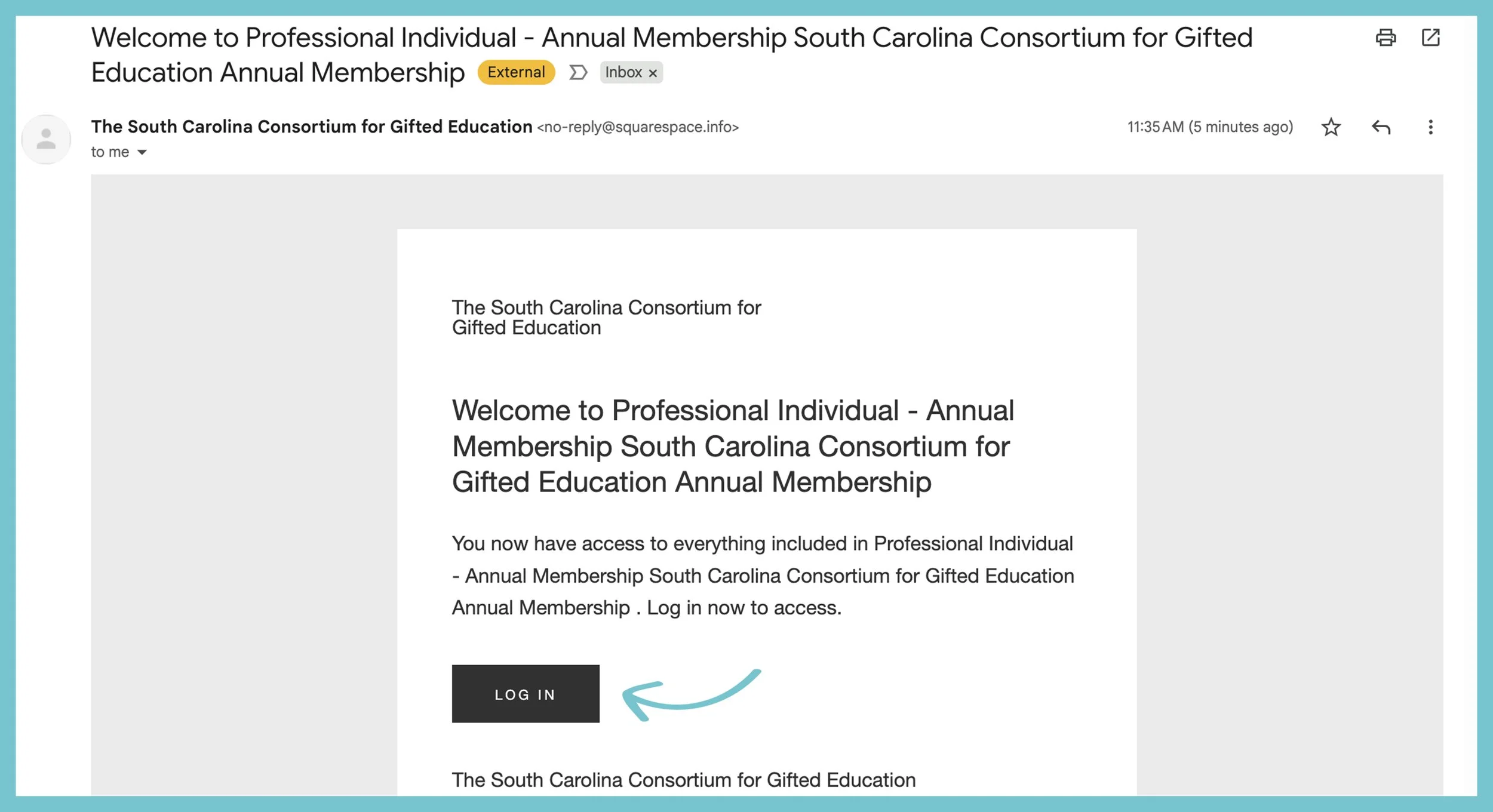
Save this email for future login.
How to Login to Your Membership
STEP 1
Click Login Link
At the top right of any page on the site you will see a menu bar. Click “LOGIN.”

STEP 2
Enter Login Information
A small white box will pop up prompting you to enter your email and password you used to set up your membership.
Once you have entered this info, click the dark gray button titled “SIGN IN.”

STEP 3
Navigate to Membership Area
A white box on the right side of the screen will appear. You can click the white button titled “VIEW.” This will direct you to your membership area.

STEP 4
View Membership Area
You will now be on the Membership Area. Scroll through the page to view exclusive membership content.